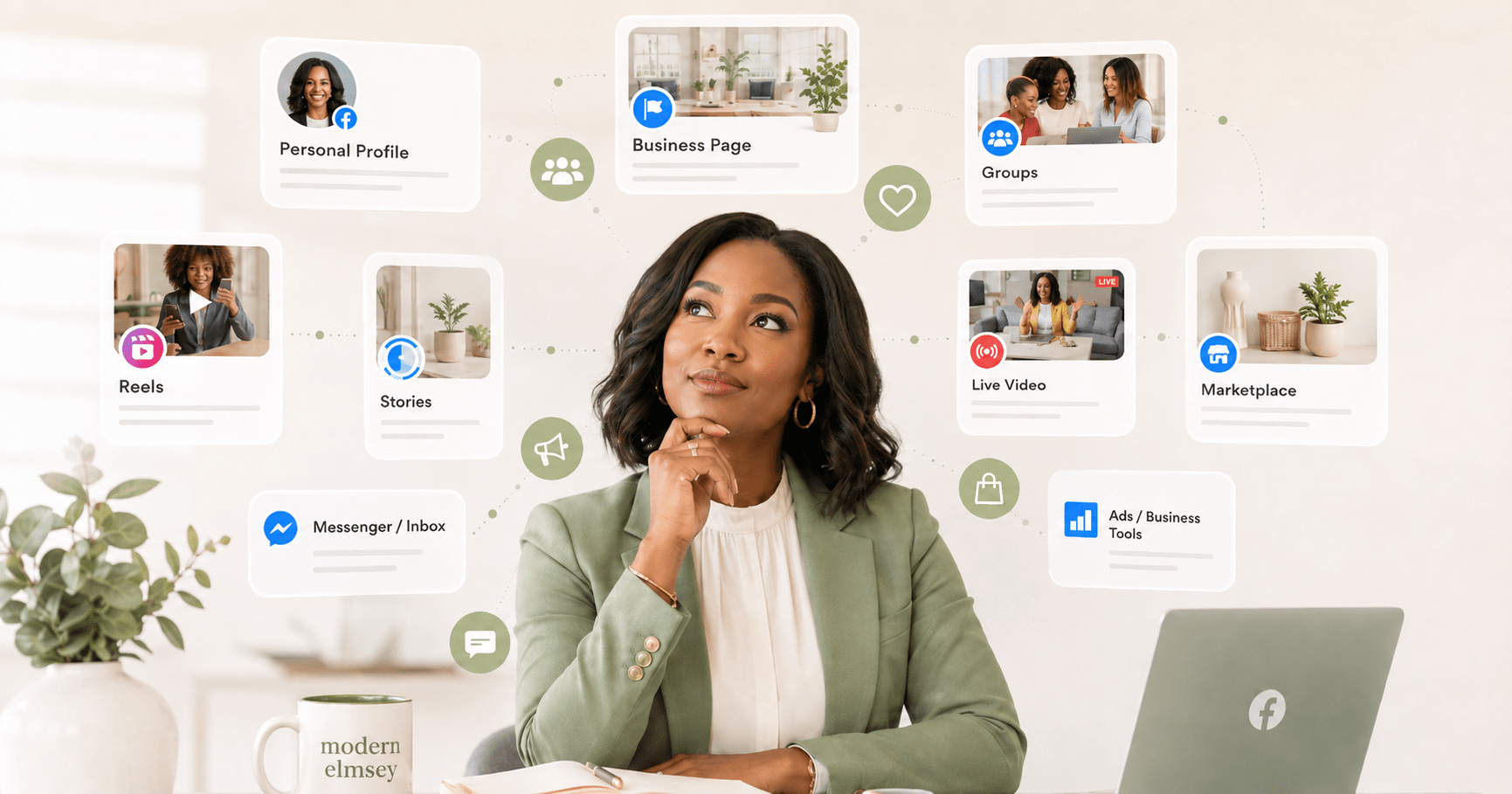

Facebook is not only a place to post to connect with family and friends. For a business owner, Facebook can become a full conversion system. It can help people discover the business, learn from the business, ask questions, join a community, and buy products.
The key is knowing which Facebook tool does what. When the options inside Facebook work together, it becomes less confusing and more useful.
Digital Marketing Methods on Facebook
1. Personal Business Profile With Professional Mode
A personal business profile means the personal profile has Professional Mode turned on. Without Professional Mode, the profile is still acts like a personal social only profile. With Professional Mode, the business owner can build a more public presence while still using the human side of Facebook.
This is useful because people often connect with people before they purchase products. A business owner can share stories, lessons, personal experience, questions, and helpful thoughts. This helps build trust before a person ever clicks on an offer.
How to turn on Professional Mode:
- Go to the personal Facebook profile.
- Look near the profile photo and cover photo area.
- Click or tap the three dots or profile options menu.
- Select Turn on professional mode.
- Review the information Facebook shows.
- Click or tap Turn on to confirm.
Professional Mode can allow public followers, public content, insights, and a more creator-style presence. The limitation is that this is still connected to the person. It is not the same as a business Page, and not every professional feature is available to every account.
2. Facebook Business Page
A Facebook Business Page is the official home for the business on Facebook. This is where business details, contact buttons, website links, posts, offers, and public business information should live. The Page gives the business a clearer identity outside of the owner’s personal profile.
A Page also helps people follow the business without needing to be personal friends with the owner. This is important for long-term business growth because the business needs a home that is not based only on personal relationships.
How to invite people to follow a business Page:
- Go to the Facebook Page.
- Make sure the correct profile or Page is selected.
- Look near the Page cover photo area.
- Click or tap the three dots or options menu.
- Select Invite friends.
- Choose the people to invite.
- Click or tap Send invites.
This should be done with care. Invite people who may truly care about the business topic, product, service, or content. An invite opens the door, but helpful Page content keeps people there.
3. Posting Best Practices on the Business Page and Business Profile
The business profile and the business Page should not sound exactly the same. The profile should feel more human. The Page should feel more business-focused. Both can sell, but they should not sell in every post.
On the business profile, strong posts may include stories, lessons learned, personal experience, thoughtful questions, simple tips, behind-the-scenes moments, and trust-building content. The goal is connection first. A soft business mention can fit when it feels natural.
On the business Page, strong posts may include business education, offers, lead magnets, events, Facebook Lives, carousel posts, static pictures, questions for engagement, product explanations, FAQs, videos, blog links, and clear calls to action. The Page is where promotion belongs more clearly.
A simple posting rhythm can include connection posts, education posts, proof posts, conversation posts, and offer posts. This keeps the business visible without making every post feel like a sales pitch.

4. Meta Business Suite
Meta Business Suite is the control center for managing business activity. A business owner can use it to schedule content, manage comments, manage Inbox messages, review insights, and access automations. This helps the business owner stay organized instead of bouncing from place to place.
Meta Business Suite is especially helpful when the business owner uses both Facebook and Instagram. Instead of manually checking every area, the business owner can review activity in one place and respond with more consistency.
How to access automated responses:
- Go to Meta Business Suite.
- Select the correct business Page.
- Open Inbox.
- Click or tap Automations on the top of the page.
- Choose the type of automation.
- Write the response.
- Add keywords if using a keyword automation.
- Choose the channel, such as Messenger or Instagram.
- Turn the automation on.
- Test it before relying on it.
Automation can help answer common questions faster. The limitation is that automation cannot replace good judgment. It should be clear, helpful, and connected to human follow-up when needed.
5. Page-Owned Facebook Group
A Page-owned Facebook group is connected to the business Page. This kind of group works well for community, education, buyer support, challenges, product discussion, and offer conversations. The business purpose is clearer because the group is connected to the business Page.
This does not mean the group should become a link-dropping space. A strong Page-owned group still needs rules, conversation, value, and leadership. The difference is that business education and business offers can be part of the group’s purpose when that is clearly explained.
How to create a group from a business Page:
- Go to the Facebook Page.
- Switch into the Page if needed.
- Select Groups from the menu.
- Choose Create group or Create linked group.
- Add the group name.
- Choose the privacy setting.
- Add a clear description.
- Add group rules.
- Publish the group.
A Page-owned group can help people move from casual interest to community connection. That is where trust can grow deeper.
6. Profile-Owned Facebook Group
A profile-owned group is different. It is connected to a person’s profile and may be built around discussion, learning, networking, or shared interest. In many profile-owned groups, promotion is limited because the group owner wants conversation, not constant selling.
This matters for business owners who join other people’s groups. A business owner should read the rules before posting links or making offers. The better strategy is to answer questions, be helpful, and build name recognition. Trust can still grow in profile-owned groups, but promotion usually needs to be more careful.
7. Comments and Public Conversations
Comments are one of the most overlooked parts of Facebook selling. A comment can show interest before a person is ready to message, join, or buy. When someone comments on a post, that is a chance to continue the conversation.
A business owner can answer questions, thank people, clarify details, and invite the next step when appropriate. Sometimes the next step is a Page visit. Sometimes it is a group invitation. Sometimes it is a Messenger conversation. Comments help move people from public interest to deeper connection.
8. Messenger
Messenger can be used for one-on-one conversations and small group chats. One-on-one Messenger conversations are helpful when someone asks for details, wants a link, has a question, or needs private support. This is where warm leads can receive clearer answers.
Messenger group chats can be used for small warm communities, challenges, reminders, webinar support, buyer support, or short-term topic-based conversations. The group chat should have a clear purpose. Without a clear purpose, it can become noisy and overwhelming.
How to create a Messenger group chat:
- Open Messenger.
- Click or tap the new message icon.
- Select more than one person.
- Add the people who should be included.
- Type the first message.
- Send the message to create the group chat.
- Rename the chat if needed.
Messenger should not be used for spam. It works best when people have shown interest or asked for more information.
9. Facebook Ads
Facebook ads can help a business owner reach more people. Ads can send people to a lead form, Messenger, a sales page, an event, content, or the business Page. Ads can help amplify what already works.
The limitation is important. Ads do not fix unclear messaging. If the offer is confusing, the audience is wrong, or the sales page is weak, ads may only make the problem more expensive. A business owner should use ads to grow a working message, not hide a broken one.
10. Meta AI and Meta Business Agent
Meta AI can help a business owner brainstorm content ideas, plan posts, summarize information, create simple drafts, and think through customer questions. It can be a helpful support tool for planning and creativity.
Meta Business Agent is designed for business messaging support. It can help answer customer questions, qualify leads, recommend products, support booking, and route more complex issues to a person. This can help a small business respond faster.
The limitation is that AI needs clear instructions. It should not make promises the business cannot keep. It should not replace honest customer care. The business owner still needs clear product details, refund rules, support rules, and human oversight.
A Simple Facebook Business Funnel
A strong Facebook plan does not need to be complicated. Use the business profile for trust. Use the Page for official business presence. Use posts to educate and invite. Use Meta Business Suite to stay organized. Use groups to build community. Use comments and Messenger to continue the conversation. Use ads to amplify what is already working. Use Meta AI for support, not replacement.
Facebook works best when connection comes before conversion. When people understand the business, trust the message, and know the next step, selling becomes more natural. The goal is not to chase strangers. The goal is to create a clear path from interest to conversation, from conversation to trust, and from trust to the right offer.
Business Visibility Momentum Coaching program focuses on high income skill development and growth. We can build the best product, if we do not have the high income skills to make our business visible then we will not have an opportunity for consistent sales. Join BVM to learn the skills to turn a business from hidden to seen.

Leave a Reply